Ace your classes this semester

The #1 AI Study Tool

Use AI to summarize lectures, create study guides, get instant notes, and generate citations.

Lecture Summarizer

Upload an audio file, video file, YouTube link, or live record your class lecture to instantly summarize it and get perfect notes.

Quiz Maker

Generate a quiz from your notes, textbook, or class readings.

Flashcard Generator

Create a deck of interactive flashbards in seconds from any file.

Mind Map Maker

Upload a file to create a detailed mind map.

Study Guide Creator

Get an instant study guide with all of the important information from your textbook, class notes, readings, and lectures.

Citation Generator

Get a highlighted citation with every answer.

Cut your study time in half.

Cut your study time in half.

With Ivory Mind, you can customize your learning experience to your needs.

With Ivory Mind, you can customize your learning experience to your needs.

8

Powerful AI Models

20+

File Types Supported

Unlimited

Chats

Unlimited

File Uploads

Thousands of students are getting ahead with Ivory Mind

Layode

The last few days, I used Ivory Mind to write a paper, the platform is outstanding for researchers. It helped me find sources from my collection of journals. Thanks to the good team behind the idea.
Tracy C Coyle

Tracy C Coyle

Ivory Mind took my book and gave a summary I like A LOT!

Dileep K.Rathore

Dileep K.Rathore

Dileep K.Rathore

Ivory Mind is one of the best productivity tools for college students.You simply upload a PDF of your textbook, class notes, or lecture slides, and it will answer any question about the document. It's like ChatGPT, but built for students.

Ruchi Baid

Ruchi Baid

Just tried Ivory Mind and it's like an AI-powered Ctrl+F, but smarter. It quickly proce­ssed 900+ page book in minutes! Ideal for re­searchers - finding particular data can become way simpler! #AI #AITools #Exploring30AIToolsin30days

Mwitu

Mwitu

Mwitu

Ivory Mind is really a helpful tool with research/writing. You can upload any documents(notes, research papers) and it can generate outlines, condensed notes, citations or whatever else you need from your documents. Unlike ChatGPT it won't make up information.
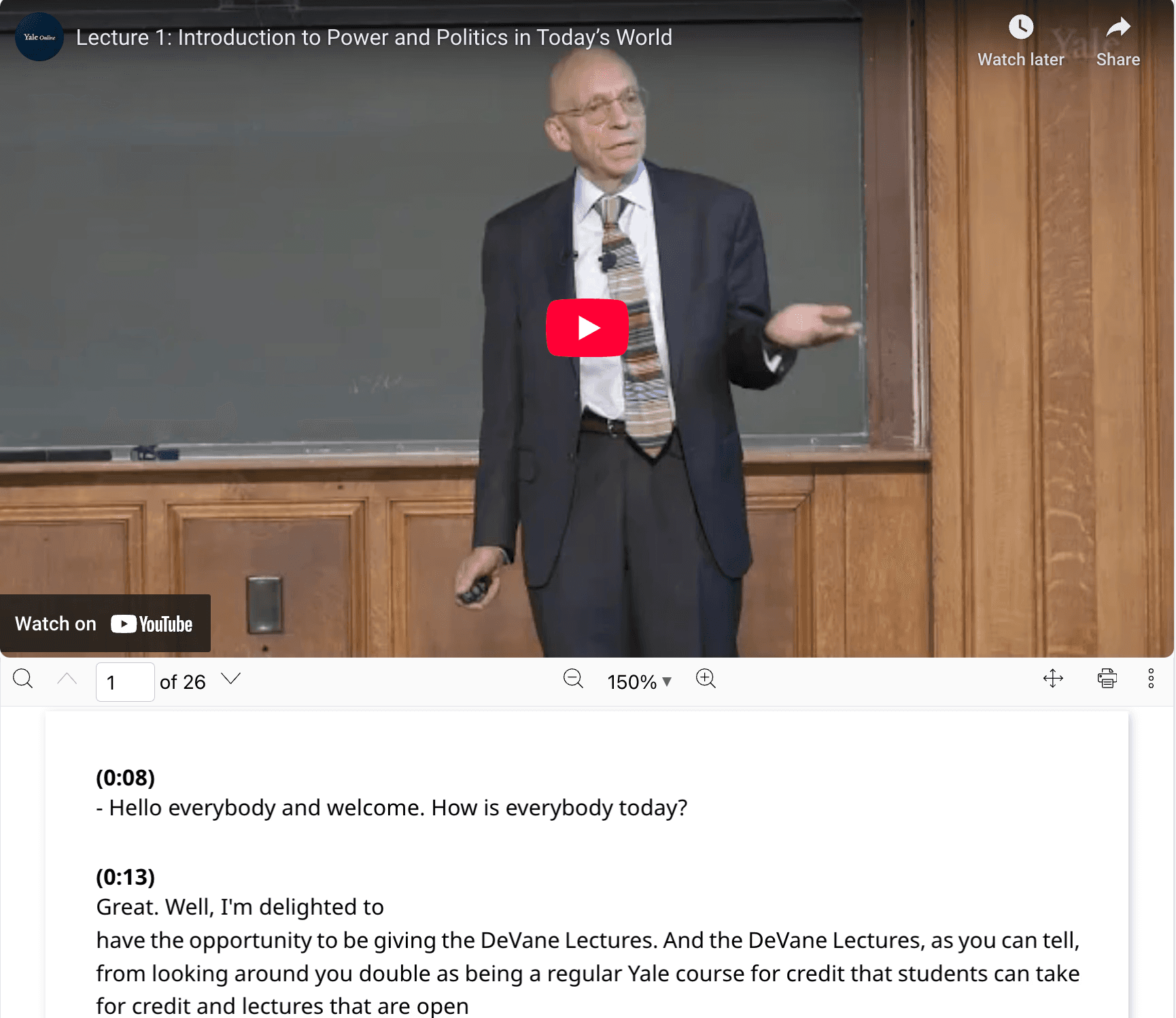
Get perfect notes

"I love using Ivory Mind to transcribe my class lectures."

Website examples

read faster

Generate summaries

Generate summaries

Ivory Mind summarizes long documents in seconds, saving you hours per week.

Website examples

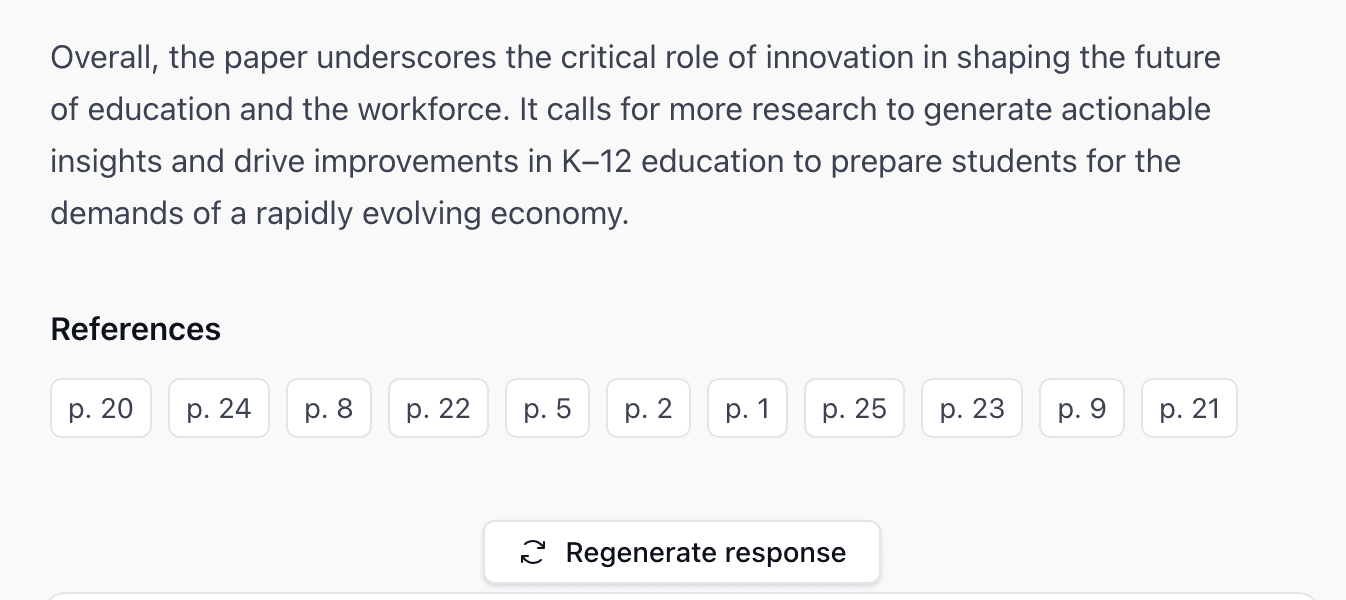
reference easily

Get citations

Get citations

Ivory Mind gives you a clickable page number reference with every answer.
Website examples

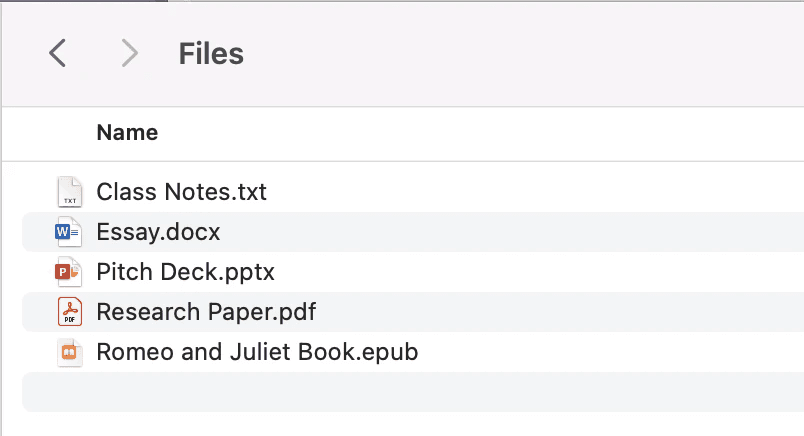
Upload files

Upload .pdf, .docx, .pptx, .txt + more

Upload .pdf, .docx, .pptx, .txt + more

Ivory Mind supports 20+ file types and can OCR scanned files. Upload files up to 500MB with no page limit.
Website examples

make Presentations

Generate presentations from your files

Generate presentations from your files

Ivory Mind can instantly generate a slideshow presentation from any file that you upload.

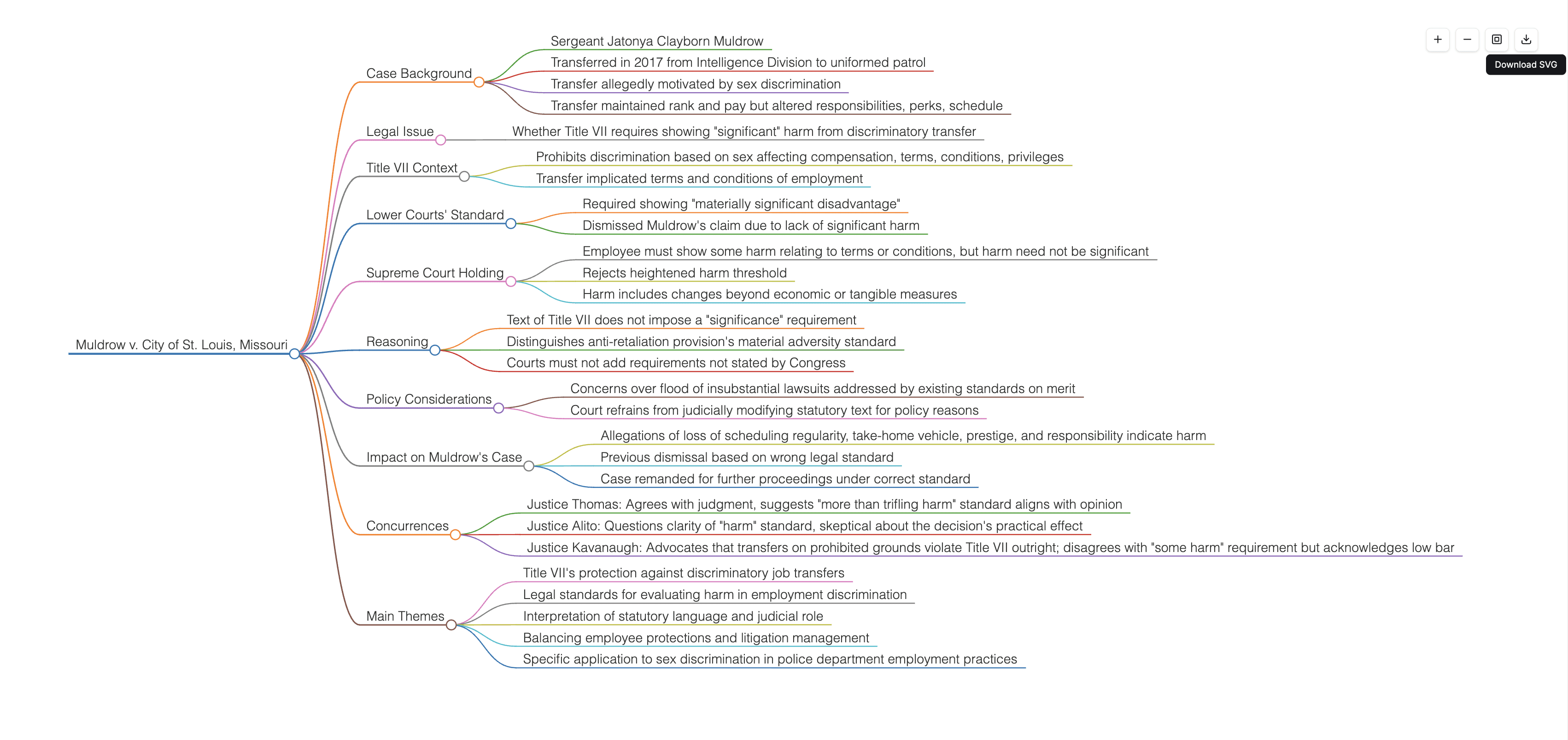
Create MIND MAPs

Create a mind map from a file

Create a mind map from a file

Ivory Mind can instantly generate a mind map from any file that you upload.
generate flashcards

Make flashcards from a file.

Make flashcards from a file.

Ivory Mind can instantly generate flashcards from any file that you upload.

Didn't watch the lecture?
Summarize it in seconds.

Didn't watch the lecture?
Summarize it in seconds.

Upload an audio or video file and instantly get a transcription that you can chat with and summarize.

Frequently Asked Questions

How can I use this?

You can use Ivory Mind to search and understand all of your PDFs. Ask questions, get citations, find information, and more in seconds.

What questions should I ask?

You can ask whatever you want! We also have a library of questions and prompts to give you inspiration and get you started on our Tutorials page.

Does Ivory Mind work in other languages?

Yes, Ivory Mind works in 90+ languages for documents including Spanish, Chinese, Hindi, French, Arabic, German, Portuguese, and more. You can upload documents written in different languages, ask questions in different languages, and translate between different languages. For audio transcription, Ivory Mind works in English, Spanish, French, German, Italian, Portuguese, Dutch, Afrikaans, Albanian, Amharic, Arabic, Armenian, Assamese, Azerbaijani, Bashkir, Basque, Belarusian, Bengali, Bosnian, Breton, Bulgarian, Burmese, Catalan, Chinese, Croatian, Czech, Danish, Estonian, Faroese, Finnish, Galician, Georgian, Greek, Gujarati, Haitian, Hausa, Hawaiian, Hebrew, Hindi, Hungarian, Icelandic, Indonesian, Japanese, Javanese, Kannada, Kazakh, Khmer, Korean, Lao, Latin, Latvian, Lingala, Lithuanian, Luxembourgish, Macedonian, Malagasy, Malay, Malayalam, Maltese, Maori, Marathi, Mongolian, Nepali, Norwegian, Norwegian Nynorsk, Occitan, Panjabi, Pashto, Persian, Polish, Romanian, Russian, Sanskrit, Serbian, Shona, Sindhi, Sinhala, Slovak, Slovenian, Somali, Sundanese, Swahili, Swedish, Tagalog, Tajik, Tamil, Tatar, Telugu, Thai, Tibetan, Turkish, Turkmen, Ukrainian, Urdu, Uzbek, Vietnamese, Welsh, Yiddish, Yoruba.

Will it give correct answers?

Ivory Mind works by giving you answers based on the document that you upload. For example, if you upload a legal document, our AI uses information from that legal document to answer your questions. The responses will always include the page number of the document that the AI referenced when creating the response. You can double check the information in the responses with the page number.

Will it give correct answers?

Ivory Mind works by giving you answers based on the document that you upload. For example, if you upload a legal document, our AI uses information from that legal document to answer your questions. The responses will always include the page number of the document that the AI referenced when creating the response. You can double check the information in the responses with the page number.

Will it give correct answers?

Ivory Mind works by giving you answers based on the document that you upload. For example, if you upload a legal document, our AI uses information from that legal document to answer your questions. The responses will always include the page number of the document that the AI referenced when creating the response. You can double check the information in the responses with the page number.

Can I upload different file types?

Yes! Ivory Mind supports many file types, including: - Word documents (.doc, .docx) - PDFs (.pdf) - PowerPoint presentations (.ppt, .pptx) - Ebooks (.epub, .mobi, Kindle files) - Text files (.txt, .rtf) - Markdown files (.md) - Websites (.html) - Audio and video files (.mp3, .mp4, .mp2, .aac, .wav, .flac, .pcm, .m4a, .ogg, .opus, .webm, and more) And many more file types like .tex, .pages, .key, .abw, .odt, .odp, .djvu, etc. If you have a scanned PDF, we also have OCR (it even works on handwriting!) If you’d like to upload another format, please let us know.

Can I upload different file types?

Yes! Ivory Mind supports many file types, including: - Word documents (.doc, .docx) - PDFs (.pdf) - PowerPoint presentations (.ppt, .pptx) - Ebooks (.epub, .mobi, Kindle files) - Text files (.txt, .rtf) - Markdown files (.md) - Websites (.html) - Audio and video files (.mp3, .mp4, .mp2, .aac, .wav, .flac, .pcm, .m4a, .ogg, .opus, .webm, and more) And many more file types like .tex, .pages, .key, .abw, .odt, .odp, .djvu, etc. If you have a scanned PDF, we also have OCR (it even works on handwriting!) If you’d like to upload another format, please let us know.

Can I upload different file types?

Yes! Ivory Mind supports many file types, including: - Word documents (.doc, .docx) - PDFs (.pdf) - PowerPoint presentations (.ppt, .pptx) - Ebooks (.epub, .mobi, Kindle files) - Text files (.txt, .rtf) - Markdown files (.md) - Websites (.html) - Audio and video files (.mp3, .mp4, .mp2, .aac, .wav, .flac, .pcm, .m4a, .ogg, .opus, .webm, and more) And many more file types like .tex, .pages, .key, .abw, .odt, .odp, .djvu, etc. If you have a scanned PDF, we also have OCR (it even works on handwriting!) If you’d like to upload another format, please let us know.

Can I chat with multiple documents at the same time?

Yes. Just upload all of the documents you want to chat with to your Ivory Mind Dashboard then click "Chat All." Type in your question or prompt, and Ivory Mind will search all of your documents to give you an answer with page citations.

Can I chat with multiple documents at the same time?

Yes. Just upload all of the documents you want to chat with to your Ivory Mind Dashboard then click "Chat All." Type in your question or prompt, and Ivory Mind will search all of your documents to give you an answer with page citations.

Can I chat with multiple documents at the same time?

Yes. Just upload all of the documents you want to chat with to your Ivory Mind Dashboard then click "Chat All." Type in your question or prompt, and Ivory Mind will search all of your documents to give you an answer with page citations.

Boost your productivity

Save 10+ Hours/Week

In a survey of users, 26% of respondents said that Ivory Mind saves them 10-15 hours each week.